· 7 min read · 16 views · 344 reactions
I Built My Own iCloud on Cloudflare (and 9 Other Things Worth Stealing)
Two of my own builds on Cloudflare, this website and an encrypted drive in my MacBook's Finder sidebar, then eight more I've watched indie hackers and other builders ship on the same platform.
 Philips ADEPOJU · ayomide.co
- Cloudflare
- Infrastructure
You see, most people only know Cloudflare as a DNS dashboard and an orange cloud they switch on and forget. But that’s only the reception desk. Behind it sits a full developer platform: I’m talking compute, databases, object storage, queues, bot protection and even AI inference, all on the same network that already fronts a big chunk of our World Wide Web today!
I run two of my own systems on it and you’re reading one of them right now. The other is an encrypted drive sitting in my MacBook's Finder sidebar, built because I wanted my files on my terms, not Apple's.
On this post, I would share with you, two of my builds, then eight more I've watched indie hackers and other builders ship on the same platform.
Interestingly, the pattern is the same every time: small pieces, wired together, billed by usage instead of by server. — Don’t worry, steal freely, that’s the point of this.
1. This website: one Worker, one database, one bucket
ayomide.co currently runs as a single Cloudflare Worker. No VPS, no container, no server to patch at 2am.
- Workers serves every page and every API route. Requests to static assets are free and unlimited, so the HTML, CSS and fonts cost nothing. Code only runs for the dynamic parts.
- D1 is the database. One SQLite database holds everything that changes: comments and likes, contact messages, recommendations, newsletter subscribers, shop products and orders, and offers on my domains.
- R2 holds my entire media: gallery moments, product shots, photos attached to notes. There are no egress fees, so a photo that travels doesn't turn into an invoice.
- Turnstile guards every form. Real visitors don't solve puzzles or maybe they do sometimes but with only a tap of the button; bots get filtered right at the gate and a simple rate-limit log in D1 catches whatever slips through.
The Worker reaches D1 and R2 through bindings, not connection strings. There are no database passwords sitting in my code, because there's nothing to log into.
The free plan gives 100,000 Worker requests a day, 5 million D1 row reads a day and 10 GB of R2 storage a month (pricing). A personal site barely dents any of it.
2. My own iCloud: R2 + rclone + macFUSE
The AYOMIDE Files, that project started as an idea from an X post by Brayden Wilmoth of Cloudflare.
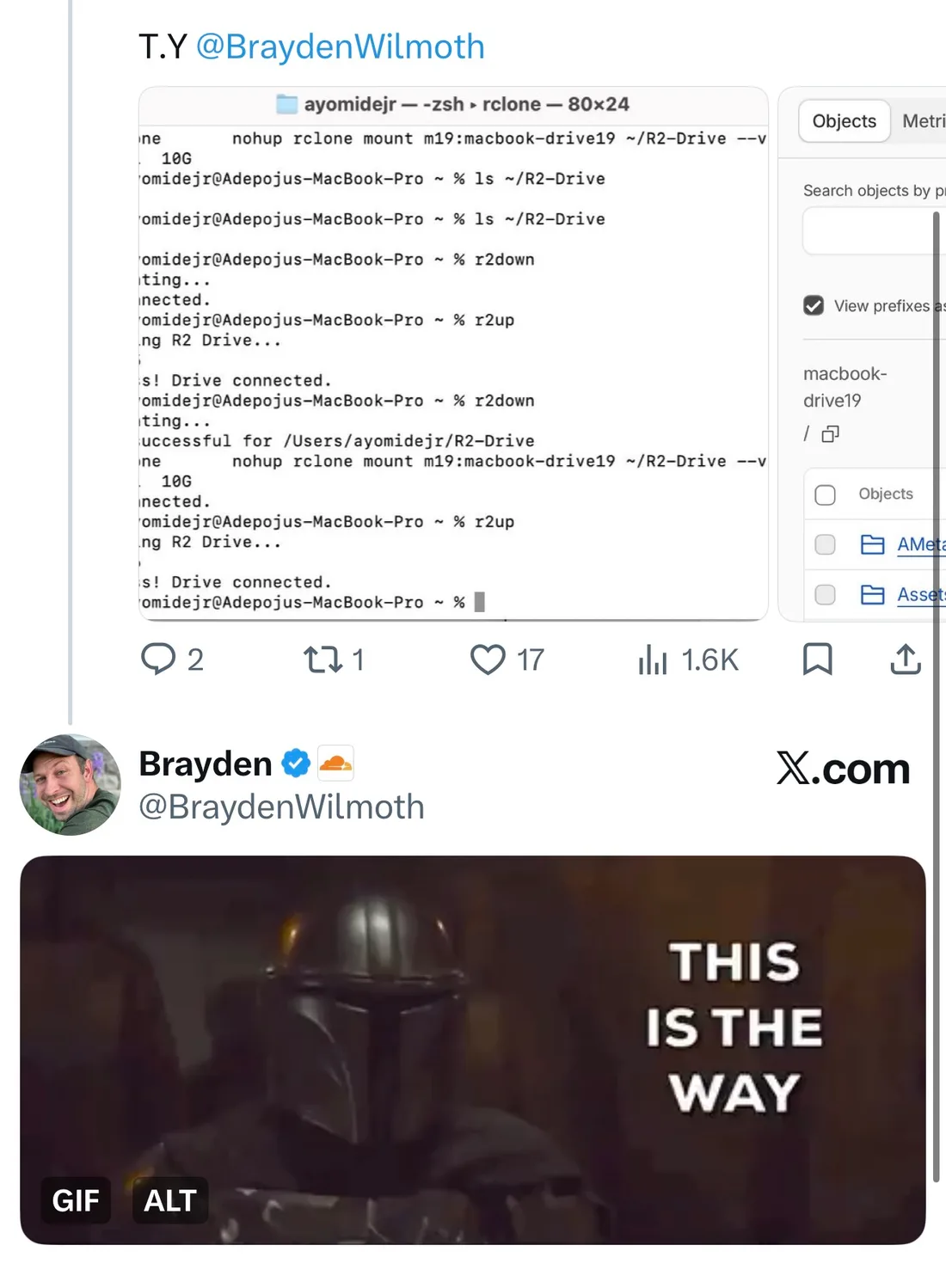
Thanks to his tip, I have a 1TB encrypted drive in my Finder sidebar called R2-Drive with possibility of an unlimited on-demand extension!
Drag files in, drag them out, open them in place. All that and behind it is a single R2 bucket!
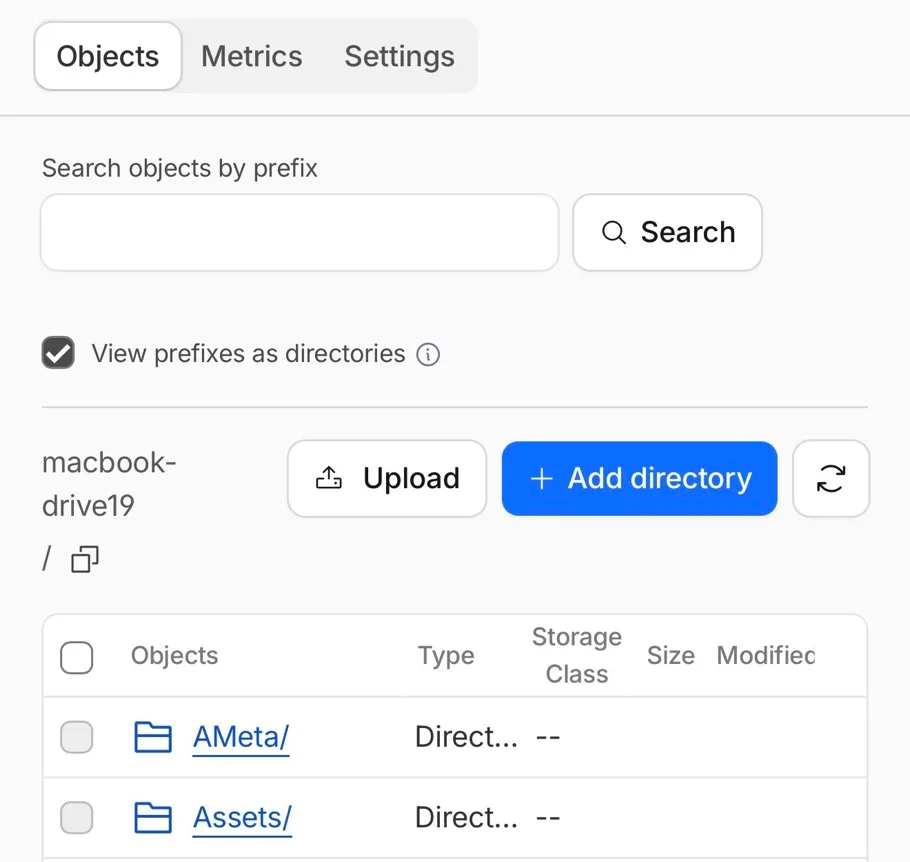
Three pieces make it work though:
- R2 is the disk. It speaks the S3 API, so any S3 tool can read and write to it.
- rclone is the translator. One remote configured as S3 with Cloudflare as the provider, pointed at the bucket, using an API token scoped to that bucket only.
- macFUSE is what makes macOS believe it's a real volume.
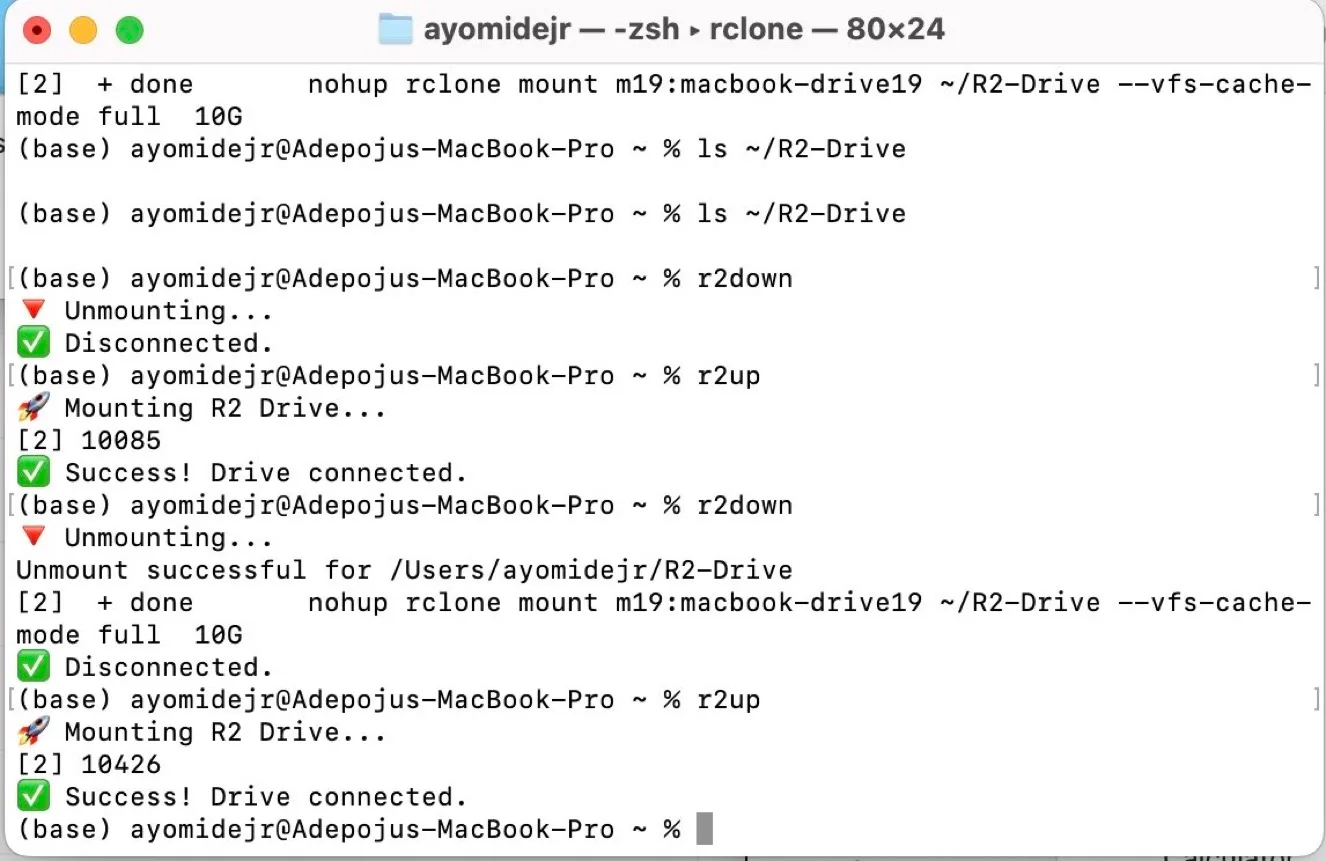
rclone mountsits on top of it, with a local VFS cache capped at 10 GB so recently used files open at local speed and writes upload in the background.
Then two zsh functions, because I'm not typing mount flags every morning:
r2up() {
  echo "Mounting R2 Drive..."
  mkdir -p ~/R2-Drive
  nohup rclone mount r2:my-drive ~/R2-Drive \
    --vfs-cache-mode full \
    --vfs-cache-max-size 10G \
    --volname "R2-Drive" >/dev/null 2>&1 &
  sleep 2 && echo "Success! Drive connected."
}

r2down() {
  echo "Disconnecting..."
  diskutil unmount ~/R2-Drive && echo "Disconnected."
}
r2up, one second, drive connected. r2down, gone.
On security: R2 encrypts every object at rest with AES-256 and everything in transit runs over TLS (data security). If you want zero-knowledge, where Cloudflare only ever holds ciphertext, wrap the remote in rclone's crypt backend and keep the key on your machine.
On cost, honestly: if you fill all 1TB, this isn't cheaper than iCloud. That's not the point. R2 bills for what you actually store, the first 10 GB a month is free, and pulling files back down costs nothing because there are no egress fees (pricing).
More importantly, the bucket is mine, it speaks an open protocol, and nothing about it is tied to one phone brand.
One caveat: it's a network drive. Great for documents, archives, project files and media. Don't point an app library that expects a local SSD at it — that’s not what I shared, please 🙏🏾.
3. Tunnel: publish a server without opening a port
Indie hackers self-host everything: n8n, analytics, photo libraries, side-project backends on a Raspberry Pi or a cheap VPS. Tunnel is how those reach the internet safely. A small daemon, cloudflared, dials out from your server to Cloudflare, and traffic comes back down that same connection.
Your firewall can block every inbound port. The origin doesn't need a public IP, and attackers can't route around Cloudflare to hit it directly.
I run this one too. My Hetzner boxes sit behind tunnels, which is how my self-hosted tools get clean HTTPS URLs without the server itself being reachable.
4. Access: a login wall in front of anything
Tunnel's natural partner. Admin panels, staging sites, Grafana, internal dashboards: put Cloudflare Access in front, and visitors authenticate with an email code, Google or GitHub before a single request reaches your app.
You write zero auth code. Wearing my offensive-security hat: an exposed admin panel is one of the first things I go looking for. Access shuts that door before anyone knocks. The Zero Trust suite it belongs to has a free plan to start on.
5. Email Routing: hello@yourdomain.cum without paying for a mailbox
Every project needs a contact address. Email Routing gives you custom addresses on your domain, forwarded to the inbox you already use, on the free plan.
The builder trick is routing an address to a Worker instead of an inbox. Every incoming email becomes an event your code handles: receipts logged, support@ turned into tickets, invoices parsed and filed in R2. If you need to send transactional mail too, Email Sending is in beta on the Workers Paid plan.
6. AI Gateway: one front door for every LLM call
Shipping AI features? Route your OpenAI, Anthropic, Gemini or Workers AI calls through AI Gateway. Getting started is a one-line change in your code.
What you get back: request logs, token and cost analytics, response caching, rate limits, retries and model fallback. Cached repeat prompts never reach the provider, which matters when a side project's AI bill comes out of your own pocket. It's available on every plan.
7. Cron Triggers, Queues and Workflows: background jobs without a server
Price trackers, scrapers, daily digests, nightly database backups to R2. This is the cron box people used to rent a whole VPS for.
- Cron Triggers run a Worker on a schedule.
- Queues fan work out and retry what fails. The free plan includes 10,000 operations a day.
- Workflows chain multi-step jobs that survive failures and can wait between steps. The free plan includes 3,000 steps a day.
8. Durable Objects: realtime without a realtime backend
Chat rooms, multiplayer cursors, live polls, collaborative editors, per-user rate limiters. Durable Objects are tiny stateful servers on demand: each one addressed by name, each with its own SQLite storage, each able to hold WebSocket connections and hibernate when idle.
The newest use is AI agents. Cloudflare's Agents SDK gives every agent session a durable identity, its own SQL storage, live connections and scheduled work. SQLite-backed Durable Objects run on the free plan.
9. Browser Run: headless Chrome as a function call
OG images for every blog post, PDF invoices, screenshot monitoring, scraping pages that only render with JavaScript. Browser Run (formerly Browser Rendering) gives a Worker a real headless browser through Puppeteer, Playwright or one-call quick actions.
No Chromium to install, no Docker image to babysit. The free plan includes 10 minutes of browser time a day, enough to prototype. The paid plan includes 10 hours a month.
10. KV: the weekend link shortener
The classic first Worker. yourdomain.co/x redirects anywhere: each slug is a key in Workers KV, and the Worker issues the redirect from the edge, close to whoever clicked.
The same pattern runs feature flags, A/B config and redirect maps after a site migration. KV is built for data that's read far more than it's written, and the free plan covers 100,000 reads a day. If you've never shipped a Worker, start here.
The pattern
If you know me well enough by now, you know I love finding & matching patterns — In the Cloudflare as a NaaS / PaaS, ten use cases, one shape: a Worker in the middle, with storage, security or compute attached through bindings. You don't provision servers. You compose primitives, and you pay when something actually runs.
The take of today is simple. Start with #10 this weekend. Graduate to #2 when you're ready to fire iCloud.
Built something clever on Cloudflare? Share with me and other readers in the comments below. I'm always looking for #11.
Limits and prices are from Cloudflare's docs as of October 2026. Check the linked pages before you build on them.